📑 Table of Contents
- 1. The Problem — Why Linear Creator Funnels Break
- 2. The 4-Stage Creator Flywheel Architecture
- 3. Loop 1 — The Milestone-Triggered Proof Loop
- 4. Loop 2 — Native Recommendations & Referral Loops
- 5. The Content-to-Product Repurposing Loop
- 6. 2026 Creator Flywheel Stack & Pricing Math
- 7. Decision Matrix — Which Flywheel Stack Fits Your Stage?
- 8. DIY vs. Hiring Out Your Flywheel Setup
- 9. Measuring Flywheel Velocity — 4 Metrics That Matter
- 10. Common Pitfalls That Kill Flywheel Momentum
- 11. Micro-Case Study — Fixing the Post-Checkout Dead End
- 12. Frequently Asked Questions
- 13. Bottom Line
The Problem — Why Linear Creator Funnels Break
Funnels burn traffic. Flywheels compound it.
Most course creators live on a launch treadmill. You spend six weeks publishing social threads, run a five-day cart open, collect a spike of cash, and wake up Monday morning with an empty pipeline. Rarely do creators run out of content ideas; they run out of energy to push the boulder back up the hill every quarter.
A traditional sales funnel treats the customer as an output. Traffic enters the top, a buyer drops out the bottom, and the machine stops until you pour more ad spend or social posts back into the top.
A creator flywheel treats the buyer as stored kinetic energy. Once someone finishes an early lesson or gets a quick win from your template, your automation stack captures that momentum and routes it back into top-of-funnel discovery.
| Dimension | Linear Sales Funnel | Creator Flywheel |
|---|---|---|
| Customer role | End of the line (one-time transaction) | Growth engine (referrals, proof, repeat buys) |
| Traffic dependency | Reliant on constant posting or ad spend | Mix of owned list, search, and peer referrals |
| Post-purchase focus | Stops at receipt email | Triggers onboarding, milestone checks, and referral asks |
| Revenue pattern | Feast-or-famine launch spikes | Predictable baseline that climbs over time |
| Main bottleneck | Top-of-funnel reach | Friction between checkout and student results |
Look, the difference sounds conceptual on paper. On a P&L sheet, it is brutal. When your acquisition depends entirely on rented social algorithms, one reach drop cuts your monthly revenue in half.
This article is part of our complete Creator Economy Growth Blueprint — read the pillar for the full 10-strategy revenue framework.
The 4-Stage Creator Flywheel Architecture
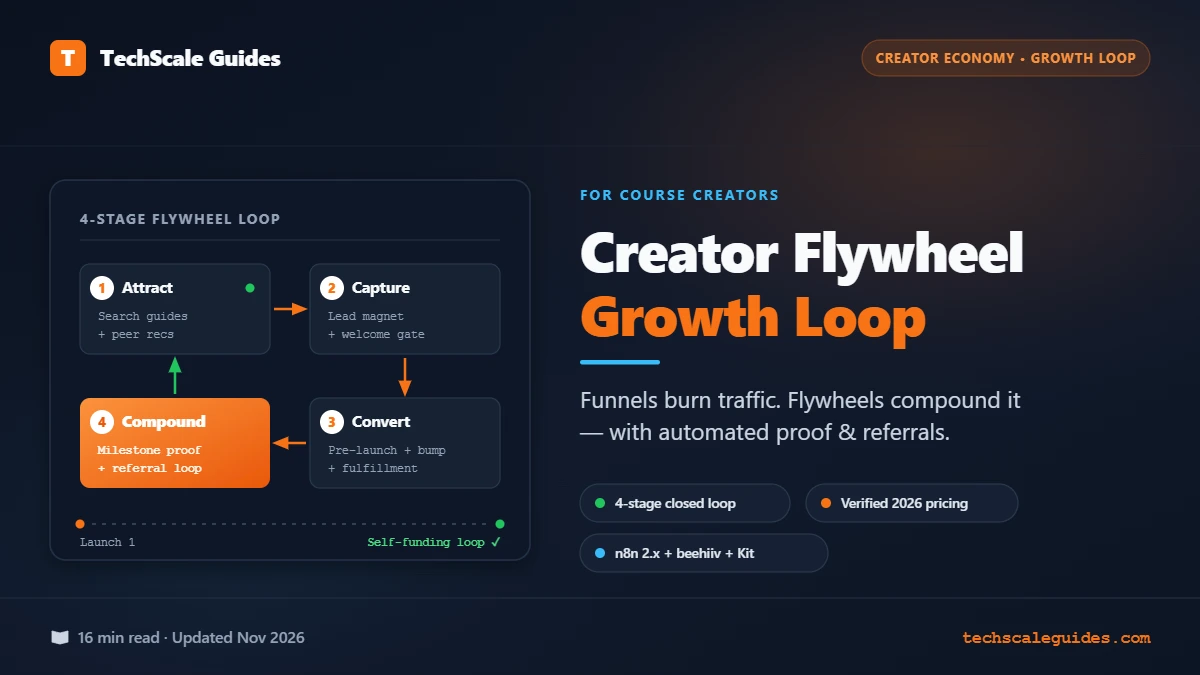
Every working creator flywheel connects four distinct stages. Skip stage four, and you just built a fancier funnel.
| Stage | Primary Job | Core Assets / Triggers | Output Fed Forward |
|---|---|---|---|
| 1. Attract | Bring in qualified readers | Evergreen search guides + peer newsletter recommendations | Targeted visitors |
| 2. Capture | Convert visitors into owned contacts | Quick-win lead magnet + source-tagged opt-in forms | Segmented subscribers |
| 3. Convert | Turn subscribers into paying students | Pre-launch emails + order bump + instant fulfillment | Activated buyers |
| 4. Compound | Turn student wins into new discovery | Milestone webhook + proof capture + referral/affiliate loop | Social proof + fresh leads to Stage 1 |
The closed-loop flow:
[1. ATTRACT: Search guides + Peer newsletter recommendations]
        ↓
[2. CAPTURE: Lead magnet + Source-tagged opt-in + Welcome filter]
        ↓
[3. CONVERT: Pre-launch sequence + Order bump + Instant fulfillment]
        ↓
[4. COMPOUND: Early-win webhook → Proof capture + Referral/Affiliate invite]
        ↓
  (Social proof boosts Stage 2/3 conversion + Referrals feed Stage 1)
Here is the deal: Stages 1 through 3 are table stakes. Almost every established creator has some version of them:
- Stage 1 (Attract): Pair evergreen search content with cross-promotion networks where peer newsletters recommend your list to their new subscribers automatically.
- Stage 2 (Capture): Convert casual readers into owned email contacts using a specific, quick-win asset rather than a generic "join my newsletter" box. Follow our Lead Magnet Guide for Course Creators to align the freebie with your paid offer.
- Stage 3 (Convert): Warm new subscribers with a structured pre-launch email sequence, lift checkout value using the Order Bump Playbook, and deliver login access with zero manual work via automated course fulfillment.
- Stage 4 (Compound): Trigger automated check-ins the moment a student hits an early milestone, collect structured proof, and invite them into a rewarded referral or affiliate loop that feeds back into Stage 1.
Stage 4 is where compounding actually starts—and where most creator setups go completely silent.
Loop 1 — The Milestone-Triggered Proof Loop
Most creators beg for testimonials six months after a student buys, when the initial excitement is long gone. Instead, tie your testimonial request to a behavioral trigger inside your course platform or automation layer.
How to wire the Proof Loop in 5 steps
- Pick the single "Aha!" lesson: Choose the earliest module where students finish something tangible (usually Lesson 2, Lesson 3, or Week 1)—not the final graduation module.
- Fire and authenticate a webhook on lesson completion: Send a completion event from your course host to n8n, a self-hosted workflow automation platform (running n8n 2.x as of November 2026 per the n8n GitHub releases). Always verify the incoming webhook secret header before processing any payload so spoofed requests cannot trigger outbound emails. If you are new to event-driven triggers, review our guide on how webhooks work.
- Deduplicate and wait 24 hours: Check a database or spreadsheet so a student who re-watches the lesson never gets emailed twice, then pause 24 hours so the check-in feels human.
- Send a 2-question plain-text email with retry protection: Ask (a) what bottleneck they had before joining and (b) what specific win they just finished. Ask them to hit reply rather than filling out a long survey form—plain-text replies land in the primary inbox and get much higher response rates. Enable Retry On Fail in node Settings (configuring Max Tries up to 5 and a fixed Wait Between Tries (ms) up to 5,000 ms; for longer provider outages or rate-limit windows, pair with a Wait loop or Error Workflow, per the n8n rate-limit handling docs) so temporary provider timeouts or rate limits never drop a student's milestone check-in.
- Route proof directly back to Stages 1 and 2: Move approved quotes straight onto your lead magnet opt-in page, checkout order bump box, and weekly newsletter footer.
The automation flow (n8n 2.x):
[Course Platform: Lesson Completed]
    ↓ (Webhook + Secret Header Verification)
[Deduplication Check: Student ID + Lesson ID already logged?]
    ├── Yes → [Stop — prevent duplicate email]
    └── No  → [Log event + Wait 24 hours]
                  ↓
              [Email API Node: 2-question plain-text check-in]
              (Settings: Retry On Fail ≤5 tries, fixed wait ≤5,000 ms + Error Workflow fallback)
                  ↓
              [Positive Reply → Publish quote to Stage 2/3 + Send Affiliate Invite]
Note: If you run everything inside an all-in-one platform like Systeme.io, you can trigger the email directly from a built-in course completion rule without spinning up n8n. You only need an external orchestrator when your course host, checkout, and email platform live on separate tools.
Loop 2 — Native Recommendations & Referral Loops
Email remains the highest-leverage backbone for closing the loop. According to the GetResponse 2024 Email Marketing Benchmarks report, average email open rates sit at 39.64% globally (45.30% in North America), with an average click-through rate of 3.25% (4.77% in North America). Unlike social followers, you own that distribution.
To turn existing subscribers into a steady stream of new subscribers, plug into two mechanisms: cross-newsletter recommendation networks and student referral/affiliate loops.
Mechanism A: Native Newsletter Recommendation Networks
- beehiiv (a newsletter-first growth platform) unified its free recommendations and paid recommendations (formerly called Boosts) into a single
Grow → Recommendationsdashboard in August 2026 (beehiiv Recommendations Guide). You can recommend peer newsletters to earn cash per verified subscriber (up to 4 recommendation slots total, with up to 3 paid), then transfer Wallet earnings into your own incoming paid offer (minimum $20 Stripe deposit) to fund new subscriber acquisition (beehiiv Recommendations FAQs). Note that Email Boosts and Direct Links have been retired, and transferring outgoing earnings to incoming funds is irreversible. - Kit (formerly ConvertKit, an email marketing platform built for creators) includes its Creator Network for free cross-recommendations on all plans and bundles a SparkLoop referral system on its Pro tier (Kit Pricing).
The docs say you can turn on a recommendation network, set a budget, and let your list grow on autopilot. But in practice, unvetted recommendation traffic drags down your sender reputation fast—because subscribers who check four boxes at once rarely remember your brand, and beehiiv removed its old "Auto-clean" feature in late 2026 (beehiiv Recommendations FAQs). Subscribers who fail verification now stay on your list tagged as Rec: Failed Verification instead of being removed automatically. Even worse, if your Wallet balance drops below 10× your live offer's CPA, beehiiv can auto-pause your incoming offer mid-week. Always filter out Rec: Failed Verification contacts before sending, and run a 3-email welcome gate before moving recommendation leads into your main launch segment.
Mechanism B: Student-to-Affiliate Loop
Your happiest students are your highest-converting sales channel. Right after a student submits a positive milestone reply in Loop 1, send a follow-up inviting them into your student affiliate program. Platforms like Systeme.io include built-in affiliate management even on the Free tier (Systeme.io Pricing), letting students generate a unique link in two clicks without third-party tracking software.
The Content-to-Product Repurposing Loop
Referrals bring new people in, but your content engine still needs fuel without burning you out. A creator flywheel recycles student questions into top-of-funnel discovery assets:
- Log recurring student friction: Every week, copy the top 2–3 questions students ask in replies, support emails, or community threads into a single backlog.
- Publish one deep-dive solution: Turn the sharpest question into a searchable guide or newsletter issue that solves the problem halfway and points naturally to your Stage 2 lead magnet.
- Update your onboarding: Link that new guide directly inside the course lesson where students got stuck—reducing future support tickets while expanding your search footprint.
Every support ticket you answer once should either improve your product or bring in your next ten subscribers.
2026 Creator Flywheel Stack & Pricing Math
You do not need an enterprise budget to wire a flywheel. Below are verified platform pricing tiers as of November 2026 (for deeper side-by-side evaluations, see our best email platform for creators, beehiiv vs Substack, and Systeme.io vs Kajabi vs ThriveCart comparisons):
| Stack Approach | Core Platform | Verified Pricing (Nov 2026) | Key Flywheel Capability & Limit |
|---|---|---|---|
| All-in-One Lean | Systeme.io (affiliate) | $0/mo Free (up to 2,000 contacts, 3 funnels, 1 course, 500 students, 0% transaction fee); Startup $17/mo (5,000 contacts, 10 tags, 10 automation rules, 5 workflows, 5 courses) (Systeme.io Pricing) | Built-in affiliate program on all plans; Free caps you at 1 tag and 1 automation rule |
| Newsletter-First Growth | beehiiv | $0/mo Free (up to 2,500 subs, free recommendations); Lite from $49/mo billed yearly at 1,000 subs (0% cut on paid subs — standard Stripe processing fees still apply; automations, paid recommendations); Pro for webhooks & branding removal (beehiiv Pricing) | Unified Free + Paid Recommendations; automations and paid recs require Lite; webhooks require Pro |
| Automation + Referrals | Kit | $0/mo Free Newsletter (up to 10,000 subs, Creator Network; no visual automations or automated sequences); Creator from $39/mo at 1,000 subs (unlimited visual automations & automated email sequences); Pro from $79/mo (SparkLoop referrals) (Kit Pricing) | Strong visual automation builder starting on Creator; pricing scales upward with subscriber count |
| Custom Glue Layer | n8n (self-hosted) | Self-hosted open-source on a small VPS (see our n8n workflow automation tutorial) | Connects separate checkout, course, and email tools via custom webhooks with flat hosting costs |
The docs say Systeme.io's Free plan gives you everything you need to run a full automated business at $0/month. But in practice, the Free tier caps you at 1 tag, 1 email campaign, 1 automation rule, and 1 workflow (Systeme.io Pricing)—because segmentation is the real paywall. The moment you need separate tags for lead-magnet opt-ins, buyers, and referral partners, you will hit the wall and need the $17/month Startup plan.
You might be thinking: "I can just track testimonials in a spreadsheet and ask for referrals manually when I remember." Fair point. Here is the reality: manual follow-up works when you enroll a handful of students a month. The moment you hit a busy launch week or take five days off, Stage 4 dies first—because customer support always wins over growth tasks. Automation guarantees the ask fires at the exact moment of peak student satisfaction, every single time.
Decision Matrix — Which Flywheel Stack Fits Your Stage?
Do not over-engineer Stage 4 before your offer converts. Match your stack to your current list size and technical comfort:
| Active List Size | Technical Capacity | Recommended Stack | Why |
|---|---|---|---|
| Under 1,000 subs | Non-technical | Systeme.io Startup ($17/mo) | Keeps funnels, course, email, and student affiliate program in one login with zero webhook glue |
| 1,000–5,000 subs | Non-technical (newsletter-led) | beehiiv Lite ($49/mo+ yearly) + course host | Paid recommendations let you recycle outgoing earnings into incoming subscriber growth |
| 1,000–5,000 subs | Non-technical (course-led) | Kit Creator ($39/mo+) or Pro ($79/mo+) | Unlimited visual automations + native Creator Network (and SparkLoop referrals on Pro) |
| 5,000+ subs | Technical / dev support | Modular stack + n8n 2.x | Full webhook control, deduplication, and custom CRM routing without per-zap fees |
DIY vs. Hiring Out Your Flywheel Setup
Wiring Stages 1 through 4 touches DNS authentication (SPF, DKIM, DMARC), checkout webhooks, subscriber tag hygiene, and affiliate tracking. If you are already comfortable inside Systeme.io, Kit, or n8n, you can stand up a clean baseline over a focused weekend.
But here is the trade-off: debugging broken webhook payloads, conflicting automation tags, and verification filters can easily eat two weeks of your evenings—time that generates far more return when spent improving your core offer or recording lessons. If you have the time and enjoy tinkering, build it yourself step by step using our Creator Economy Growth Blueprint.
Measuring Flywheel Velocity — 4 Metrics That Matter
Vanity follower counts hide a broken flywheel. Track four operational numbers in a simple monthly sheet:
| Metric | What It Measures | Warning Sign |
|---|---|---|
| 1. Early-Win Completion Rate | % of buyers who finish your "Aha!" lesson within 14 days | Low completion means your Proof Loop has no fuel—fix onboarding first |
| 2. Proof Capture Rate | % of milestone check-in emails that return a usable quote | Replies stalling means your email asks too many questions or sounds robotic |
| 3. Net Recommendation Engagement | Open/click rate of recommendation-acquired leads vs. organic leads | Sharp drop means a partner is sending low-intent traffic—pause that source |
| 4. Referred Revenue Share | % of monthly sales coming from student affiliates or peer recommendations | Flat at zero after 90 days means your referral ask is buried or unrewarded |
Notice how these four metrics chain together. If Early-Win Completion drops, Proof Capture drops two weeks later, and Referred Revenue stalls a month after that. Fix upstream friction first.
Common Pitfalls That Kill Flywheel Momentum
Pitfall 1: Turning on referrals before fixing fulfillment
Symptom: Asking new buyers to refer friends while login emails arrive late or break.
Why it's bad: Asking an annoyed customer for a favor destroys trust and triggers refunds.
Fix: Lock down automated course fulfillment and verify zero-delay delivery before activating Loop 1 or Loop 2.
Pitfall 2: Dumping recommendation leads straight into launch blasts
Symptom: Turning on paid recommendations and seeing overall open rates plunge within three weeks.
Why it's bad: Cold recommendation leads tank domain reputation for your entire list, especially when unverified contacts stay tagged on your list rather than auto-cleaning.
Fix: Filter out Rec: Failed Verification tags, route all recommendation traffic through a 3-email welcome gate, and suppress non-openers automatically.
Pitfall 3: Asking for testimonials at the end of a long course
Symptom: Sending a review form after Module 10 and getting almost zero responses.
Why it's bad: Course completion drops off sharply on long programs; waiting until the end misses your most enthusiastic students.
Fix: Move the webhook trigger to the earliest tangible win (typically Lesson 2 or Lesson 3).
Pitfall 4: Running a paid recommendation offer with a low Wallet balance
Symptom: Paid subscriber growth stops unexpectedly right in the middle of a promotion.
Why it's bad: On beehiiv, if available funds fall below 10× your live CPA, your offer can auto-pause (beehiiv Recommendations FAQs).
Fix: Enable auto-deposit or maintain a comfortable balance buffer above the 10× CPA floor.
Pitfall 5: Ignoring platform lock-in until you outgrow your starter tool
Symptom: Building complex automations inside a rigid platform with weak export options.
Why it's bad: Migrating students, videos, and tags later costs weeks of downtime.
Fix: Keep your subscriber tags clean and review our course platform migration guide before signing an annual lock-in contract.
Pitfall 6: Automating a broken offer
Symptom: Wiring every webhook and referral link cleanly, yet referrals never convert.
Why it's bad: A flywheel amplifies whatever product experience sits at its center—good or bad.
Fix: Validate student outcomes manually with your first cohort before automating Stage 4.
Micro-Case Study — Fixing the Post-Checkout Dead End
Internal case study — anonymized creator data.
The Constraint: A B2B spreadsheet instructor had steady search traffic and an active email list, but revenue swung sharply between launch months because every new cohort had to be acquired from scratch.
The Failed Approach: They tried running a manual affiliate program through a static Google Form and asking for testimonials at the end of a 6-week cohort. Almost nobody filled out the form, and students who hit their goal in Week 1 had already moved on.
The Implementation:
| Stage | Action Taken | Tooling |
|---|---|---|
| 1. Attract | Activated free peer recommendations with 3 adjacent finance newsletters | beehiiv Recommendations |
| 2. Capture | Tagged incoming recommendation leads separately + added 3-email welcome filter | Email tagging rules |
| 3. Convert | Kept existing pre-launch sequence + order bump + instant fulfillment | Existing C3 stack |
| 4. Compound | Connected Module 2 completion webhook → 24-hour wait → plain-text check-in → 1-click affiliate invite | n8n 2.x + Email API |
The Results (after 90 days):
| Metric | Before | After |
|---|---|---|
| Testimonial inflow | Sporadic manual chasing before launches | Steady weekly replies tied to Module 2 wins |
| Subscriber acquisition | Reliant on solo content publishing | Supplemented by consistent warm peer referrals |
| List deliverability | Vulnerable to cold traffic spikes | Protected by source-tagged 3-email welcome filter |
| Launch prep stress | High (starting from scratch each cycle) | Lower (fresh proof and warm leads ready on demand) |
What DIDN'T work initially:
- Their first check-in email linked to a 7-field testimonial survey form. Completion was abysmal. Switching to a 2-question plain-text reply email fixed the drop-off immediately.
- One newsletter swap partner sent a much broader consumer audience than expected, dragging down click rates for that segment. Source tagging let them pause that single partner within two weeks without polluting the main list.
The Caveat & Lesson: A flywheel only compounds if your core product delivers a fast, verifiable early win. Automating testimonial and referral asks for a bloated, confusing course just accelerates refund requests and public complaints.
Frequently Asked Questions
1. What is the difference between a creator funnel and a creator flywheel?
A creator funnel is linear: traffic enters the top, converts into a buyer, and exits. A creator flywheel connects post-purchase student wins, testimonials, and referral loops back into top-of-funnel discovery so existing customers lower your future acquisition cost.
2. How many subscribers do I need before building a creator flywheel?
You can wire the baseline Proof Loop as soon as you have your first small cohort of paying students. Native newsletter recommendation networks work best once you have enough active subscribers to offer mutual value in peer swaps.
3. Can I build a creator flywheel on a free plan?
Yes, with clear ceilings. Systeme.io's Free plan supports up to 2,000 contacts, 3 funnels, 1 course, and a built-in affiliate program—but caps you at 1 tag and 1 automation rule (Systeme.io Pricing). beehiiv's Free plan covers up to 2,500 subscribers with free recommendations, while paid recommendations and automations require Lite (beehiiv Pricing). Kit's Free plan supports up to 10,000 subscribers with Creator Network access, but visual automations and automated email sequences require Creator from $39/month (Kit Pricing).
4. Do I need n8n to run a creator flywheel?
No. If your email, checkout, and course live inside one all-in-one platform like Systeme.io, built-in automation rules handle basic triggers. You only need n8n when connecting separate tools (such as Stripe, an external course host, and your email platform) via custom webhooks with deduplication.
5. How do I stop recommendation network subscribers from hurting my deliverability?
Tag every incoming recommendation subscriber by source, exclude Rec: Failed Verification contacts on beehiiv, run a 3-email welcome gate asking them to click or reply, and automatically suppress anyone who stays unengaged.
6. When is the best time to ask a student for a testimonial or referral?
Right after their first tangible win—typically 24 hours after completing Lesson 2 or Lesson 3—not at the end of a multi-week course when completion rates have dropped.
7. Should I pay for recommendations right away or start free?
Start with free peer recommendations first to verify which adjacent audiences actually open and click your emails. Layer in paid recommendations (starting from a $20 minimum Stripe deposit on beehiiv) only after you know your welcome filter converts.
8. How long does it take for a creator flywheel to show compounding momentum?
Plan for a full quarter of consistent operation. The Proof Loop feeds higher checkout conversions first, while recommendation networks and student affiliates typically take 60 to 90 days to build noticeable monthly momentum.
Bottom Line
Three things to take away:
- Close Stage 4 before chasing more top-of-funnel traffic. Pouring more social posts or ad spend into a leaky funnel just burns cash faster. Wire your milestone-triggered Proof Loop and referral invite first so every new student strengthens the system laid out in our Creator Economy Growth Blueprint.
- Protect your email list with source tagging and welcome filters. Native recommendation networks on beehiiv and Kit can fund your growth, but only if you isolate incoming leads, strip out failed verifications, and cut underperforming partners quickly.
- Match your stack to your current stage. Start lean on Systeme.io Startup ($17/month) if you want everything under one roof, move to beehiiv Lite or Kit Creator/Pro as your newsletter scales, and layer in n8n 2.x only when multi-tool webhook logic demands it.
If you enjoy hands-on n8n work and have the time, you can wire this multi-tool loop yourself—but if you are connecting Stripe, an external course host, beehiiv or Kit, and n8n 2.x with deduplication and CRM syncing, and would rather not spend two weeks debugging webhook payloads, hire a vetted automation engineer on Upwork. Paying once for clean architecture beats losing months of compounding growth.
🚀 Ready to Turn Your Funnel Into a Self-Funding Flywheel?
Stop starting from zero after every launch. Wire your milestone Proof Loop, automated fulfillment, and referral engine in days instead of weeks.
Hire a Vetted Specialist →