📑 Table of Contents
- 1. What a Webhook Actually Is (And Isn't)
- 2. Webhooks vs. Polling — The Real Trade-Off
- 3. Anatomy of a Webhook Delivery
- 4. The Failure Mode Nobody Warns You About
- 5. How to Secure a Webhook Endpoint
- 6. A Real-World Flow — Stripe → n8n → Helpdesk
- 7. Common Pitfalls (And How to Spot Them)
- 8. Tools & Resources
- 9. Frequently Asked Questions
- 10. Bottom Line
What a Webhook Actually Is (And Isn't)
A webhook is a user-defined HTTP callback. You give a service a URL. That service sends an HTTP POST request to that URL whenever a specific event fires — a payment succeeds, a repo gets a new commit, a form gets submitted.
The sender is the producer. Your endpoint is the consumer. The JSON body is the payload.
That's the whole concept. No SDK required, no protocol to negotiate. Just HTTP.
The confusion usually comes from mixing up webhooks with APIs. They're not the same thing.
An API is something you call. A webhook is something that calls you. You don't request data — data arrives. The direction of the request is the entire distinction.
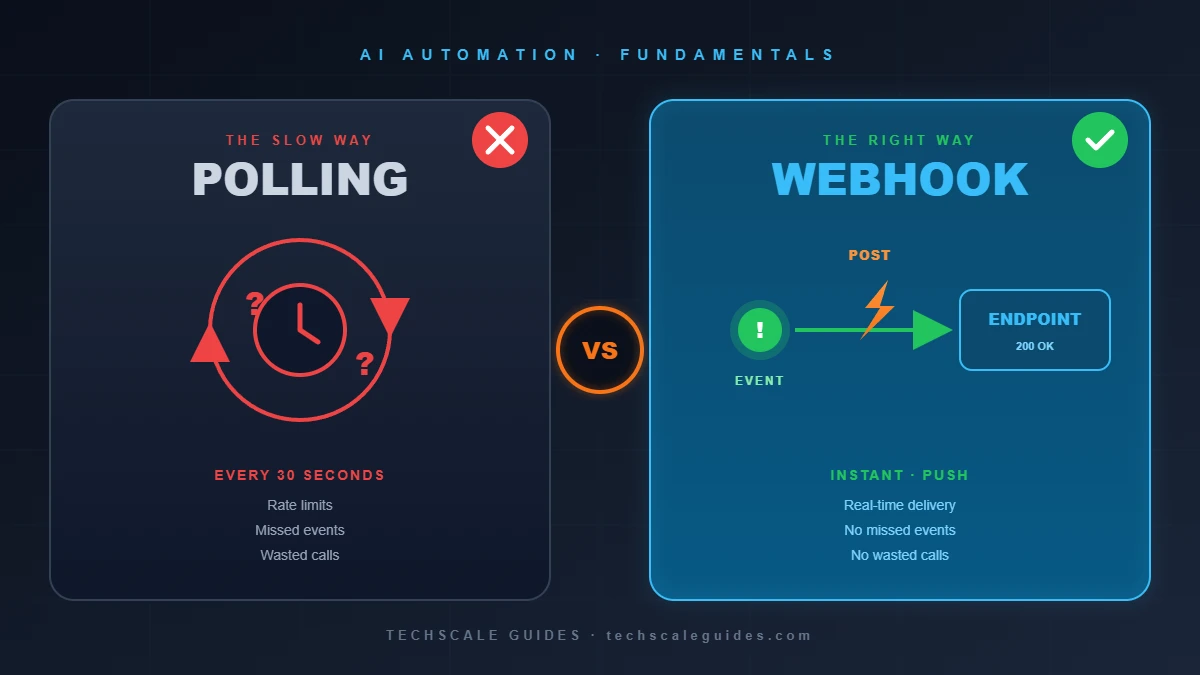
You might be thinking: "I can just poll the API every few seconds and get the same result." Fair point — until you scale. Polling burns rate limits, misses events between checks, and gets expensive fast. Webhooks don't.
Stripe, the payment processor, doesn't wait for you to ask "did this customer pay?" It tells you. GitHub, the code hosting platform, doesn't wait for you to ask "did someone push?" It fires a webhook the second a push lands.
That inversion changes how you build. You stop writing loops. You start writing endpoints.
Webhooks vs. Polling — The Real Trade-Off
Polling is the default. It's what every developer reaches for first: a cron job, a fetch call, a setTimeout, a loop.
It works — until it doesn't.
| Dimension | Polling | Webhook |
|---|---|---|
| Direction | Receiver pulls | Sender pushes |
| Latency | Up to your poll interval | Near real-time |
| API load | Grows with frequency × clients | One call per event |
| Failure mode | Silent miss between polls | Silent miss if receiver drops |
| Setup complexity | Trivial (cron + fetch) | Non-trivial (endpoint + verify + retry) |
| Best for | Small data, infrequent changes | Events, state changes, triggers |
Polling isn't wrong. It's just expensive in a way that doesn't show up until you scale.
Stripe, for example, enforces 100 read and 100 write operations per second per account in live mode (Stripe rate limits, 2026). If you have 50 customers and poll every 60 seconds, that's 50 requests per minute — harmless. Scale to 5,000 customers and you're at 5,000 requests per minute — 83% of that limit. Any traffic spike and you're over. And you're still missing every event that fires between polls.
Webhooks flip the cost model. Instead of N clients × M polls, you pay one call per event. The sender does the scheduling. You just handle what arrives.
The trade-off is real, though. With polling, the failure mode is "I missed something between checks." With webhooks, the failure mode is "the sender fired, my endpoint returned 200, and I dropped the payload anyway." That second one is harder to catch — and it's where most production incidents live.
Anatomy of a Webhook Delivery
Every webhook delivery follows the same shape, regardless of provider. Here's the sequence:
- Event fires in the source system. A customer pays in Stripe. A commit lands in GitHub. A form is submitted.
- The source sends an HTTP
POSTto the endpoint URL you registered, with the event data in the JSON body. - Your endpoint receives the request — headers + body. The headers usually include a signature, a timestamp, and an event type.
- You verify the signature. This is the step most tutorials skip. Without it, anyone who knows your URL can POST fake events.
- You parse the payload and act on it — create a ticket, send a Slack message, update the database.
- You return a 2xx status code fast. Every provider enforces a timeout (often around 10–20 seconds). If you're slow, they mark the delivery failed and retry.
- If you don't return 2xx, the source retries. Stripe retries failed deliveries for up to 3 days using exponential backoff, and disables your endpoint after 3 days of continuous failures (Stripe webhooks docs, 2026). GitHub does not retry failed deliveries automatically — you must redeliver them manually from the App's settings or via the REST API (GitHub redelivery docs, 2026). Every provider has its own schedule.
That's it. Seven steps. Most webhook integrations break between step 5 and step 6 — because the developer returns 200 before the work is actually done.
The Failure Mode Nobody Warns You About
The docs say webhooks are "event-driven notifications." That's true. But in practice, most webhook failures are silent — the sender gets a 200 OK and thinks you processed the event, while your queue drops it three seconds later.
Here's why that matters: the source has no way to know your processing failed after you returned 200. It saw success. It moves on. The event is gone.
GitHub goes further: it doesn't auto-retry at all. If your endpoint returns non-2xx, the delivery is marked failed — and stays failed until you manually redeliver it (GitHub redelivery docs, 2026). Return 200 and then crash, and GitHub has no way to know processing failed.
This is why three patterns separate a toy webhook receiver from a production one:
- Return 200 only after you've durably enqueued the work — not after you've completed it.
- Deduplicate by event ID — sources retry, and you'll see the same event twice. Store processed IDs for at least the provider's retry window (3 days for Stripe, longer for others).
- Log failed deliveries to a dead-letter queue — a storage bucket for events you can replay later, so you never lose an event permanently.
Stripe exposes an event ID on every payload specifically so you can dedupe. GitHub exposes an X-GitHub-Delivery header. If your receiver doesn't check these, you'll process duplicate tickets, duplicate emails, duplicate charges.
How to Secure a Webhook Endpoint
A webhook endpoint is a public URL that accepts POST requests. That's an attack surface. Treat it like one.
The four things every receiver needs:
- HTTPS only. Never accept webhooks over plain HTTP. Certificates matter here more than anywhere else.
- Signature verification. Most providers sign the payload with an HMAC. Stripe uses
Stripe-Signaturewith HMAC-SHA256, formatted ast=timestamp,v1=signature(Stripe signature docs, 2026). GitHub usesX-Hub-Signature-256(prefixsha256=). Verify before parsing. - Idempotency. Dedupe by event ID. Store processed IDs for at least as long as the source retries (3 days for Stripe, longer for others).
- A dead-letter queue. If processing fails, log it. Replay it later. Never lose the event.
A Real-World Flow — Stripe → n8n → Helpdesk
Here's a pattern I've seen repeatedly with small B2B SaaS teams.
The constraint. A SaaS company with 2 support agents handles 500+ Stripe payment events per day. Refunds, failed charges, subscription cancellations — each one needs a Zendesk ticket within minutes.
The failed approach. They polled the Stripe API every 60 seconds. It burned their rate limit, missed events during Stripe's occasional delivery delays, and created a backlog that grew every weekend.
The implementation. They switched to a webhook receiver built on n8n's Webhook node — n8n 2.x being an open-source workflow automation platform. Stripe sends the event. n8n verifies the signature, checks for duplicates, classifies the event type with a small AI model, and routes it to either Zendesk (refund) or the billing team's Slack channel (chargeback).
The result. Support load dropped noticeably within two weeks. More importantly, the missed-event complaints stopped entirely. The team stopped checking Stripe's dashboard manually.
The caveat. This only works if the receiver is idempotent. Stripe retries for up to 3 days. Without dedupe, one payment produces seven tickets. The team learned this the hard way on day one.
Common Pitfalls (And How to Spot Them)
Returning 200 before processing. The sender thinks you're done. You're not. If your worker crashes, the event is lost with no retry. Fix: return 200 only after the event is durably enqueued.
No signature verification. Anyone who guesses your URL can POST fake "payment succeeded" events. Fix: verify the HMAC signature on every request.
No idempotency. Sources retry. You process twice. Customers get duplicate emails. Fix: dedupe by event ID.
Timeout too short. You return 200 late, the sender marks it failed, and retries — you process the same event twice. Fix: respond fast, process async. Aim for under 5 seconds.
Expired HTTPS certificate. All deliveries fail silently. You find out when a customer complains. Fix: monitor certificate expiry.
No delivery monitoring. You don't know failures are happening until it's too late. Fix: log every delivery attempt, alert on failure rate.
Tools & Resources
- n8n 2.x Webhook node — built-in receiver, no code required. (docs, 2026)
- Stripe CLI —
stripe listen --forward-to localhost:3000/webhookfor local testing. - ngrok — expose your local endpoint to the internet for development.
- webhook.site — inspect what a sender actually sends before you build anything.
- GitHub webhooks — the best-documented examples of event payloads and signature verification. (docs, 2026)
For a deeper walkthrough of receiving webhooks in n8n specifically, see our n8n webhooks tutorial. For the broader architecture of AI agents that consume webhooks, start with the autonomous AI agents blueprint. And if you're deploying to production, our n8n workflow automation guide covers the foundation before you touch Docker.
Frequently Asked Questions
1. What is a webhook in simple terms?
A webhook is a URL you give to a service so it can send you data when something happens. You don't ask for the data — it arrives as an HTTP POST request.
2. What's the difference between a webhook and an API?
An API is something you call. A webhook is something that calls you. You call APIs to fetch or modify data. Webhooks arrive at your endpoint without you requesting them.
3. Are webhooks secure?
They're as secure as your endpoint. Always use HTTPS, verify the signature on every request, and reject unsigned payloads. Most providers (Stripe, GitHub, Shopify) sign payloads with HMAC-SHA256.
4. What happens if a webhook fails?
It depends on the provider. Stripe retries for up to 3 days with exponential backoff. GitHub does not retry automatically — failed deliveries must be redelivered manually. If your endpoint keeps failing, most providers eventually stop and log the failure — which means you've lost the event permanently.
5. Do I need a server to receive webhooks?
You need a publicly reachable HTTPS endpoint. That can be a server, a serverless function (AWS Lambda, Cloudflare Workers), or an automation platform like n8n that hosts the endpoint for you.
6. Can n8n receive webhooks?
Yes. n8n ships a built-in Webhook node that acts as the receiver. It handles the HTTP request, exposes the payload to downstream nodes, and can return a custom response.
Bottom Line
Three things matter with webhooks:
- They're push, not pull. The sender calls you. You don't ask.
- The endpoint is the hard part. Receiving is easy. Verifying, deduplicating, and handling failures is where production systems live or die.
- Silent failures are the default. Without idempotency and a dead-letter queue, you'll lose events and never know.
Stop Debugging HMAC Failures at 2 AM
For production-grade webhook infrastructure, the DIY path is real — but one wrong HMAC comparison or a missed dedupe check and you'll burn a weekend debugging 401s before you ever see a payload. You could absolutely wire this yourself — the docs are free and the patterns are learnable. But if you need it running before your next launch, the fastest path is an automation engineer on Upwork who has wired dozens of these already. You'll pay for their experience — but you'll save the weeks it takes to discover every edge case the hard way.
Hire a Webhook Specialist →