📑 Table of Contents
- 1. Why Self-Host n8n on a VPS (Not n8n Cloud)
- 2. What n8n Actually Needs (Real Specs)
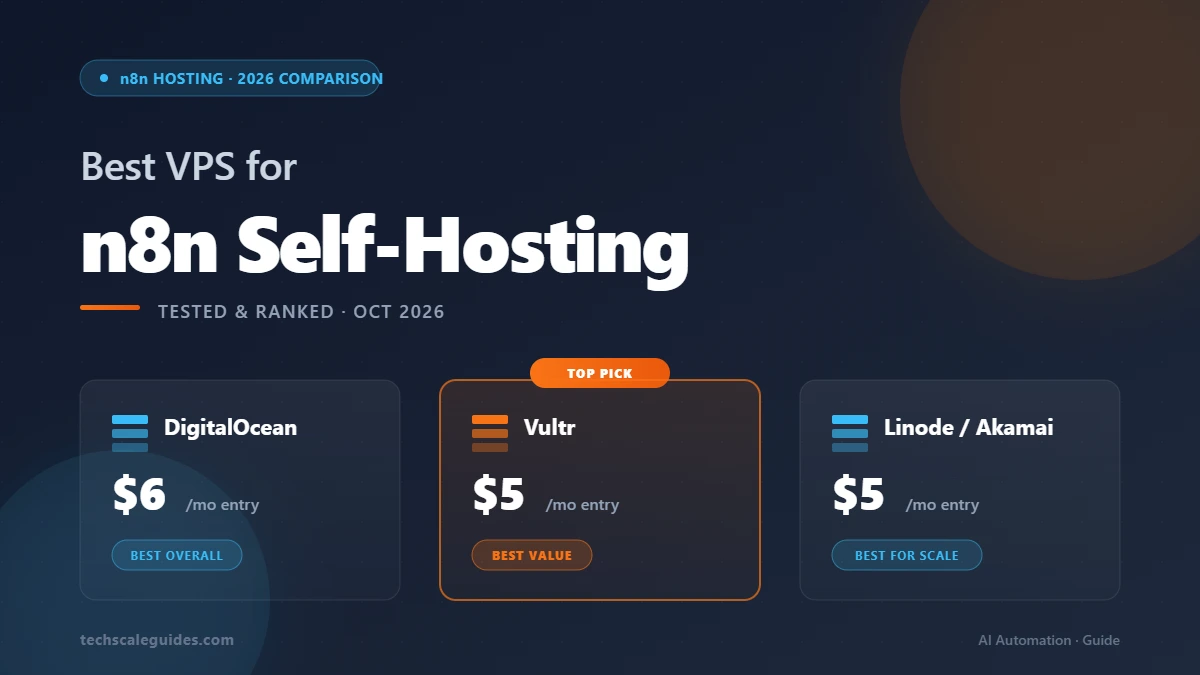
- 3. Top 3 VPS Providers for n8n (2026 Comparison)
- 4. Direct Comparison Table
- 5. How to Deploy n8n on DigitalOcean (Step-by-Step)
- 6. Cost Optimization — Don't Overpay for n8n
- 7. Common Pitfalls to Avoid
- 8. Frequently Asked Questions
- 9. Bottom Line — Which VPS Should You Choose?
Why Self-Host n8n on a VPS (Not n8n Cloud)
The Real Cost Gap
n8n Cloud Starter runs €20/mo billed annually (or €24/mo month-to-month) for 2,500 executions. The Pro tier is €60/mo for 10,000 executions (n8n Pricing, Oct 2026).
Now do the math on self-hosting. A $5-6/mo VPS runs the n8n Community Edition with unlimited executions and unlimited workflows. You pay for the server, not for the platform.
At 10,000 executions/month, that's roughly 10x cheaper than n8n Cloud Pro ($6 vs €60 → ~$6 vs ~$65 USD). At 100,000 executions, the gap widens because VPS pricing stays flat while Cloud pricing scales.
The catch? You handle the infrastructure.
What You Actually Give Up
Here's the honest trade-off list:
- Managed backups → you configure them (S3, R2, or provider snapshots)
- Uptime SLA → only what your VPS provider offers, not n8n's
- Auto-updates → manual (Docker pull + restart)
- Managed Postgres → you run it or pay extra
- Support → community forum + docs
For a solo operator or small team, none of this is a dealbreaker. For a 20-person agency running mission-critical workflows, the Cloud tier might make more sense.
If you're still choosing a platform, our n8n vs Make vs Zapier comparison covers the full decision framework.
What n8n Actually Needs (Real Specs)
Minimum vs Recommended
Every hosting guide tells you "1GB RAM minimum." The n8n hosting docs list an illustrative memory range of 320MB–2GB depending on workload. For production, aim for 2GB as a practical floor.
| Resource | Minimum (test/dev) | Recommended (Production) |
|---|---|---|
| vCPU | 1 | 2 |
| RAM | 1GB | 2-4GB |
| Storage | 10GB | 20-40GB SSD |
| Bandwidth | 500GB/mo | 1-2TB/mo |
(n8n Hosting Docs, Oct 2026)
The Real-World Numbers
Here's what we've seen across client deployments:
- ~50-100 executions/day → 1 vCPU, 1GB RAM is fine for a small instance
- ~500-2,000 executions/day → 2 vCPU, 2GB RAM is comfortable
- ~5,000-10,000 executions/day → 2 vCPU, 4GB RAM + consider queue mode
- 10,000+ executions/day → 4 vCPU, 8GB RAM + Redis queue mode + external Postgres
Queue mode is the game-changer for scaling. Without it, a single n8n instance hits practical limits quickly — the exact ceiling depends on workflow complexity and concurrency patterns.
Note that queue mode requires additional infrastructure: a separate Redis instance for the job queue, plus a Postgres database for persistent data. Both add setup complexity, but they're what make horizontal scaling possible.
Note: The execution ranges above are typical figures based on community deployments. Your mileage will vary with workflow complexity, external API latency, and payload sizes.
For the full queue mode setup, see our n8n production deployment guide.
Top 3 VPS Providers for n8n (2026 Comparison)
1. DigitalOcean — Best Overall
Starting price: $6/mo for 1 vCPU, 1GB RAM, 25GB SSD, 1TB transfer (DigitalOcean Droplet Pricing, Oct 2026)
Why it wins:
- n8n 1-click Marketplace app — spin up a working n8n instance quickly. No Docker knowledge required. (DO n8n Marketplace App)
- Wide data center coverage — US East/West, EU (Frankfurt, Amsterdam, London), APAC (Singapore, Bangalore, Sydney). See DigitalOcean Regional Availability.
- Best documentation — for someone new to VPS hosting, DO's tutorials are genuinely helpful
- Solid community — active forum, tons of n8n-specific guides
The trade-off: DigitalOcean is not the cheapest. Vultr and Linode offer competitive specs at similar or lower cost. What you're paying for is the 1-click app + polish.
Recommended tier for production: $12-18/mo (2 vCPU, 2GB RAM, 60GB SSD). Handles small-medium workloads comfortably without queue mode. (DO Droplet Pricing)
Get started: DigitalOcean Droplets — 1-click n8n app available via Marketplace.
Note: DigitalOcean has an affiliate program. Links in this article will be updated with referral tracking once our application is approved.
2. Vultr — Best Value per Dollar
Starting price: $5/mo for 1 vCPU, 1GB RAM, 25GB SSD, 1TB transfer (Vultr Pricing, Oct 2026)
Why it wins:
- Strong RAM-per-dollar at mid tiers — Vultr's mid-tier plans typically offer more RAM per dollar than DO's equivalent
- 33 global data center regions — more than DO, with coverage in LatAm, Middle East, Africa (Vultr Data Center Regions)
- Bare metal options — for high-performance needs, Vultr offers dedicated instances
- No 1-click n8n — but the Docker setup is straightforward
The trade-off: No Marketplace app for n8n. You'll set it up via Docker Compose or the manual walkthrough. Slightly less hand-holding.
Recommended tier for production: $12/mo (1 vCPU, 2GB RAM, 55GB NVMe). Good balance for most small-medium workloads. (Vultr Pricing)
Get started: Vultr Cloud Compute — entry tier from $5/mo.
3. Linode (Akamai) — Best for Scale
Starting price: $5/mo (Nanode 1GB) for 1 vCPU, 1GB RAM, 25GB SSD, 1TB transfer (Akamai Cloud Pricing — North America, Oct 2026)
Why it wins:
- Akamai network backbone — Linode was acquired by Akamai in March 2022 (Akamai Investor Relations, 2022). Global latency can be better than competitors, especially for EU + APAC users.
- Enterprise reliability — see Akamai Compute SLA for current uptime commitments
- Global footprint via Akamai — well-peered across continents (Akamai Cloud)
The trade-off: Less global coverage than Vultr. Pricing at higher tiers can be more expensive. Best if your users are concentrated in specific regions.
Recommended tier for production: $12/mo (Linode 2GB — 1 vCPU, 2GB RAM, 50GB SSD, 2TB transfer) is the practical baseline. Higher tiers (Linode 4GB+ at $24+/mo) are for high-volume workflows. (Akamai Cloud Pricing — North America)
Get started: Akamai Cloud Compute — entry tier from $5/mo. Pricing varies by region and tier — select the Shared CPU tab on the Akamai Cloud Pricing — North America page to see Nanode/Linode rates.
Direct Comparison Table
| Feature | DigitalOcean | Vultr | Linode (Akamai) |
|---|---|---|---|
| Entry price | $6/mo [¹] | $5/mo [²] | $5/mo [³] |
| vCPU (entry) | 1 [¹] | 1 [²] | 1 [³] |
| RAM (entry) | 1GB [¹] | 1GB [²] | 1GB [³] |
| Storage (entry) | 25GB SSD [¹] | 25GB SSD [²] | 25GB SSD [³] |
| Bandwidth | 1TB [¹] | 1TB [²] | 1TB [³] |
| Data centers | See Regional Availability | 33 regions (Vultr) | See Akamai Cloud |
| n8n 1-click | Yes (Marketplace) | No | No |
| Docker support | Yes | Yes | Yes |
| Backup pricing | See Pricing | See Pricing | See Pricing |
| Best for | New users | Value seekers | Scale/network |
Footnotes:
[¹] DigitalOcean Droplet Pricing — Oct 2026
[²] Vultr Pricing — Oct 2026
[³] Akamai Cloud Pricing — North America — Oct 2026
Verify all pricing against vendor pages before purchase — providers adjust pricing periodically.
How to Deploy n8n on DigitalOcean (Step-by-Step)
Since DO has the easiest setup, here's the fast path.
Option 1: 1-Click Marketplace App (fast setup)
- Sign up for DigitalOcean
- In the control panel, go to Marketplace
- Search for "n8n"
- Choose your droplet size (entry tier $6/mo and up)
- Pick a data center near your users
- Deploy
Within a few minutes, you'll have a working n8n instance at http://your-droplet-ip:5678. Log in, create your owner account, done.
(DigitalOcean n8n Marketplace App)
Option 2: Manual Docker Compose
If you want full control (or you're using Vultr/Linode), the manual path is:
- Spin up Ubuntu 24.04 LTS droplet
- SSH in
- Install Docker + Docker Compose
- Run the n8n Docker container with a Postgres sidecar
- Configure Caddy or Traefik for reverse proxy
- Set up SSL (Let's Encrypt)
- Activate n8n
This takes longer — usually 20-40 minutes depending on your familiarity with Linux and Docker — but gives you full visibility into every component. Our n8n production deployment guide walks through the full Docker Compose + Postgres + Redis queue mode stack.
Cost Optimization — Don't Overpay for n8n
Common Cost Mistakes
Mistake 1: Choosing 4GB RAM when 2GB is enough.
Most n8n beginners running standard workflows never hit 2GB RAM usage. Start with 2GB. Scale up if you see memory pressure in htop.
Mistake 2: Ignoring bandwidth caps.
At 1TB/mo, most SMB workflows never come close. But if you're doing heavy file processing or streaming, bandwidth overage fees can bite. Check your provider's bandwidth policy before committing.
Mistake 3: Not enabling automated backups.
Enable automated snapshots from day one. Vendor pricing varies — check each provider's pricing page for current backup rates.
Mistake 4: Buying reserved instances when you're experimenting.
For dev/test environments, use hourly billing or spot instances. Only commit to reserved pricing once you've validated production needs.
When to Scale Up
Signals it's time to upgrade:
- CPU consistently above 80% in monitoring
- Memory swapping (visible in
free -h) - Execution queue backlog during peak hours
- Execution times creeping up over weeks
Bump to the next tier ($6 → $12 → $24) when 2 of these 4 signals appear. Don't wait for all 4.
Common Pitfalls to Avoid
1. Picking a 512MB RAM VPS. n8n barely runs. Workflows time out. You'll blame n8n, but it's the server.
2. Skipping backups. One bad Docker update + no backup = lost workflows. Enable automated snapshots from day one.
3. No monitoring. You won't know n8n is down until a workflow fails. Set up UptimeRobot or similar.
4. Hardcoding secrets. Never put API keys in workflow JSON. Use n8n's credentials system + environment variables.
5. Running single-instance at scale. Past a few thousand executions/day, you'll want queue mode + Redis. Single instance hits limits.
6. Ignoring bandwidth limits. Postgres backups + external API calls add up. Check your provider's bandwidth policy.
Frequently Asked Questions
1. Can I run n8n on a $5 VPS?
Yes, for light usage — testing, personal projects, or low-volume workflows. Not recommended for production at scale. The $5 tier gives you 1GB RAM, which is enough for testing but tight for real workloads (n8n Hosting Docs).
2. Which VPS is cheapest for n8n in 2026?
Vultr and Linode/Akamai both start at $5/mo. DigitalOcean starts at $6/mo. For pure price, Vultr edges out on mid-tier RAM-per-dollar. For 1-click setup, DigitalOcean wins.
3. Does DigitalOcean have a 1-click n8n app?
Yes. It's available through the DigitalOcean Marketplace (DO Marketplace).
4. Vultr vs DigitalOcean — which is better for n8n?
DigitalOcean for ease of setup + docs + 1-click app. Vultr for value + more data centers. Both are solid. Pick based on what you optimize for.
5. Do I need a managed database for n8n?
For production: recommended. Either run Postgres on the same VPS (cheap, but same failure domain) or use a managed service. For dev/test, SQLite is fine.
6. Can I migrate from n8n Cloud to self-hosted VPS?
Yes. Export workflows + credentials from Cloud, import to self-hosted via the n8n CLI or UI. Migration time varies with workflow complexity — typically under an hour for a standard setup (n8n Docs).
Bottom Line — Which VPS Should You Choose?
Here's the honest recommendation matrix:
| Your situation | Best VPS |
|---|---|
| New to self-hosting | DigitalOcean (1-click app) |
| Tight budget, high volume | Vultr (best RAM/$) |
| Enterprise / global users | Linode/Akamai (Akamai network) |
| Already have a DO account | DigitalOcean (no new signup) |
| Running <500 executions/day | Any $5-6/mo tier works |
Final take: If you're new to VPS hosting, start with DigitalOcean. The 1-click app gets you running quickly, and you can migrate to a cheaper option later if you scale past what DO's pricing offers.
If you're optimizing for cost at scale, Vultr or Linode/Akamai are worth pricing out side by side — the delta depends on your specific tier and region.
If you'd rather skip the setup entirely — hire a specialist on Fiverr Pro for $50-150. Most n8n deployments take a few hours. Cheaper than a weekend of debugging.
For the full deployment walkthrough, read our n8n production deployment guide.