📑 Table of Contents
- 1. What Local Service Ads Actually Are
- 2. LSA vs Traditional Lead-Gen Platforms
- 3. Setup Walkthrough — From Application to First Lead
- 4. How LSA Ranking Actually Works
- 5. The Economics — Real Numbers for 2026
- 6. Common Pitfalls (And How to Avoid Them)
- 7. The Full Local Stack (LSA Is One Piece)
- 8. Frequently Asked Questions
- 9. Bottom Line
What Local Service Ads Actually Are (And Why They Matter in 2026)
If you run a local service business — plumbing, HVAC, electrical, cleaning, landscaping, dental, legal, financial — you've probably noticed a new ad format at the very top of Google results.
That's LSA.
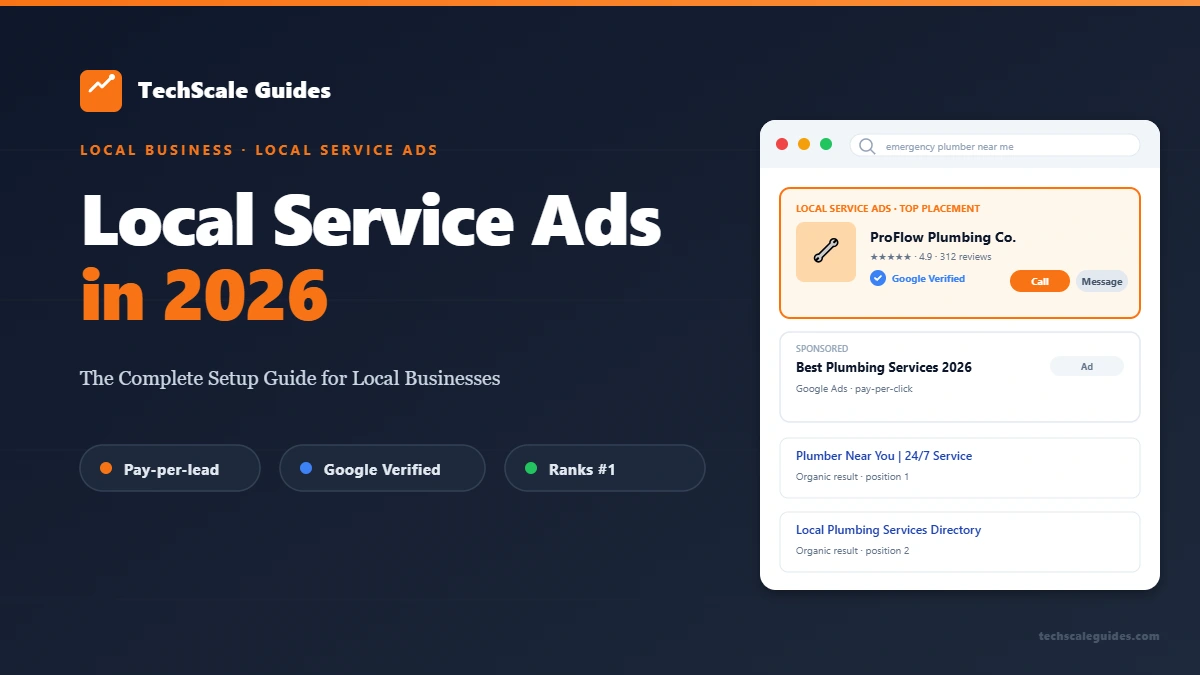
Local Service Ads are pay-per-lead ads. They sit at the top of Google Search when someone searches for a service in your area. Unlike traditional Google Ads, you don't pay per click. You pay when a customer contacts you — via phone call or message. That's the key difference.
LSA vs Google Ads — The 3 Core Differences
The biggest confusion local business owners have is: "Isn't this just Google Ads?" No. They're structurally different products.
| Dimension | Google Ads | Local Service Ads |
|---|---|---|
| Payment model | Pay-per-click (PPC) | Pay-per-lead (PPL) |
| Placement | Below paid search results, above organic | Above paid search results |
| Badge requirement | None | Google Verified required |
| Trust signal | None inherent | Google-vetted badge shown to customers |
| Cost predictability | Variable (impressions → clicks) | Charged only on contact |
The Google Verified badge is the visible difference. It tells customers: Google has verified this business's license, insurance, and background. It's a strong trust signal in industries where trust is the primary conversion blocker.
As of October 20, 2025, Google retired the "Google Guaranteed" and "Google Screened" badges and replaced them with a single Google Verified badge for all LSA advertisers (Google support announcement, Google blog announcement). The badge shows which specific verification checks a business has passed — background, license, and insurance (About Google Verified badge).
The Google Verified badge is required to run LSA — you cannot run LSA without one.
Where LSA Shows Up
LSA ads appear in three places:
- Google Search — at the very top of the results page, above the standard "Sponsored" Google Ads block
- Google Maps — as a highlighted "Local Services" block at the top
- Local Finder — the expanded view when you click "More places" in Maps
This placement is the reason LSA gets the click rates it does. Customers see your business before they see anything else — paid or organic.
Which Verticals LSA Supports Today
As of late 2026, LSA supports dozens of service categories across home services, professional services, and personal care (Google Actions Center policy; Search Engine Land — LSA category coverage). Popular categories include:
- HVAC, plumbing, electrical, roofing, painting, flooring
- Cleaning (residential, commercial)
- Landscaping, lawn care, tree services
- Appliance repair, garage doors, pest control
- Dental, chiropractic, optometry
- Legal (multiple practice areas), financial planning, tax services
Verify current availability for your vertical at Google's LSA signup page — the list changes periodically.
LSA vs Traditional Lead-Gen Platforms
Before LSA existed, local service businesses relied on platforms like HomeAdvisor, Angi, and Thumbtack to generate leads. Those platforms still work — but the economics are different, and the comparison matters.
LSA vs HomeAdvisor vs Angi vs Thumbtack — Economics Compared
| Platform | Model | Cost per lead | Lead exclusivity |
|---|---|---|---|
| Google LSA | Pay-per-lead | Varies by market | Exclusive to you |
| HomeAdvisor | Pay-per-lead or subscription | Varies | Shared (multiple pros) |
| Angi (formerly Angie's List) | Pay-per-lead | Varies | Shared (multiple pros) |
| Thumbtack | Pay-per-contact | Varies | Shared (varies by category) |
Aggregator pricing varies widely by category and market. Third-party benchmark sources with more granular breakdowns: Landscape Contractor Marketing — Angi/HomeAdvisor analysis; PipelineOn — Lead platform comparison.
The critical difference: LSA leads are exclusive to you. You aren't racing several other contractors to return the call. The aggregator platforms typically sell the same lead to multiple pros, which means you're competing on response speed and price.
That exclusivity has a price — LSA cost per lead is often higher than aggregator platforms. But the close-rate math often works out better, because you're not competing against multiple contractors for the same job.
When LSA Beats Paid Aggregators
- Service is high-ticket — LSA cost per lead gets justified by close rate
- You have fast lead response — LSA rewards speed
- You're in a market where Google search volume for your service is high — LSA visibility scales with search volume
- Trust is the primary conversion blocker — the Google Verified badge is a differentiator aggregator platforms can't replicate
When It Doesn't
- Tiny service area — if you only cover a few zip codes, LSA's geographic targeting may limit volume too much to be worth the setup cost
- Very narrow niche — if your service type isn't in Google's supported vertical list, you can't run LSA
- You can't respond quickly — LSA ranking depends on response rate; if your team can't pick up the phone fast, aggregator platforms may work better
The Hybrid Play
Most mature local businesses don't pick one channel. They layer:
LSA (paid, exclusive) + GBP organic (free, profile activity) + 1 aggregator (for volume overflow)
That stack gives you paid lead flow from LSA, organic Map Pack visibility from GBP activity, and backup volume from an aggregator when LSA is capped out for the week.
For how GBP fits in — see our GBP Optimization Guide — the two work as complementary signals, not competing ones.
Setup Walkthrough — From Application to First Lead
Setup has 6 steps. Skip any one and your application stalls or gets rejected.
Step 1 — Google Business Profile Prep (Prerequisite)
You cannot apply for LSA without a verified Google Business Profile (GBP). If your GBP is unclaimed or unverified, start there. LSA pulls your business name, address, phone, and hours directly from GBP.
The GBP profile needs to be:
- Verified (via postcard, phone, email, or video verification)
- Complete (all fields filled — services, hours, description)
- Consistent NAP (name, address, phone match everywhere online)
If your GBP isn't in shape yet, read our GBP Optimization Guide first. The activity signals it covers are also relevant to LSA ranking.
Step 2 — Business Verification (License + Insurance)
This is where most applications stall. Google requires:
- Valid business license for your service category and state
- Proof of insurance (general liability minimum — varies by category)
- Background check for the business owner and any field technicians
Google partners with a third-party verification service to review these documents. The verification timeline varies by state, category, and document completeness — Google does not publish an official timeline.
Pro tip: Submit all documents at once. Missing or incomplete paperwork is a common cause of verification delay.
Step 3 — Service Area + Service Types
Define your service area carefully. Overly broad service areas cause you to receive leads outside your actual coverage. Overly narrow areas limit volume.
Define your service types from Google's predefined category list. You can't invent categories — pick the closest match from what's offered.
Step 4 — Budget + Bidding
LSA uses a budget-based system, not traditional keyword bidding. You set:
- Weekly budget (Google charges against this per lead)
- Max cost per lead (Google respects this as a cap)
Google's algorithm decides which leads to send you based on your budget, response history, and other ranking factors (see §4). You don't bid on keywords the way you would in Google Ads.
Step 5 — Ad Creative + Photos
LSA ads are simpler than Google Ads — there's no ad copy to write. But you do control:
- Business logo (upload a clean 1:1 version)
- Photos (high-quality photos of your work, team, and vehicles perform best)
- Business description (short — the LSA dashboard shows the current character limit for your category)
Skip professional stock photos. Google's algorithm favors original photos, and customers can tell stock photos from real ones. A clean phone photo of an actual job site outperforms a $500 stock image every time.
Step 6 — Lead Response Setup
This is where most SMBs fail.
LSA sends leads to you via:
- Phone call (to the number on your GBP)
- Message (via the LSA app)
Speed matters. A missed call or a delayed message response is a lost lead — and Google tracks response behavior as a ranking signal.
The businesses that win on LSA set up a lead response system before they turn ads on. That means:
- Someone available to answer calls during business hours (and after-hours if you offer emergency service)
- SMS/email auto-responder confirming receipt within seconds
- Automatic routing to your CRM so no lead falls through the cracks
For the exact workflow — see our Contractor Lead Response Automation guide. The fast-response system it covers is what LSA ranking is built to reward.
If your team can't build this workflow internally, hire an LSA setup specialist on Fiverr — most deliver a complete response workflow quickly.
How LSA Ranking Actually Works
Google's LSA ranking algorithm considers several factors. The exact weighting isn't published, but the categories are (Google LSA Help — About ad rankings):
Proximity to Searcher
Google prioritizes businesses close to the customer's location. This is why LSA works best with a well-defined service area — you don't want to compete against businesses far outside your coverage zone.
Review Count + Recency + Rating
Reviews matter on LSA the same way they matter on GBP. Higher volume, more recent, and higher average rating all help.
For the full review pipeline that feeds LSA ranking — see our Automated Review Generation guide.
Response Rate + Response Time
This is the biggest factor most businesses ignore. Google tracks:
- What percentage of leads you respond to
- How fast you respond
Missing leads and slow responses both hurt ranking. The businesses at the top of the LSA stack consistently respond quickly and answer most leads.
Business Verification Status
Fully verified businesses rank higher. If your license or insurance verification is pending renewal, expect a ranking dip.
Budget + Bidding
Higher weekly budgets and higher max cost-per-lead unlock more lead volume — but Google still respects your response history. A big budget with bad response rates won't outrank a smaller budget with great response rates.
The 3 Levers You Can Pull This Week
If your LSA ranking is stuck, focus on:
- Response rate — commit to responding to every lead as fast as possible
- Review velocity — steady new reviews feed the ranking signal
- Budget — bump up temporarily to test if volume is the constraint
The Economics — Real Numbers for 2026
Cost Per Lead by Vertical
LSA cost per lead varies dramatically by market and vertical. Benchmark data from third-party industry studies (as of late 2026) shows typical ranges:
| Vertical | Cost per lead (typical range) |
|---|---|
| HVAC | $50-85 |
| Plumbing | $55-95 |
| Electrical | $35-60 |
| Roofing | $85-150 |
| Cleaning (residential) | $25-50 |
| Landscaping | $30-55 |
| Dental | $25-60 |
| Legal (personal injury) | $75-200+ |
These are aggregated third-party benchmark ranges (99 Calls — LSA cost per lead by industry; Fresh Bread Digital — Google LSA cost analysis). Google does not publish cost-per-lead data — actual cost varies by market, category, and bid strategy. Major metros typically run higher than secondary markets.
Close Rate Benchmarks
Close rates on LSA leads vary widely depending on vertical, response speed, and follow-up quality. The variable isn't the platform — it's what you do with the lead.
An HVAC contractor responding to an LSA lead immediately and following up multiple times will close at a much higher rate than a contractor responding hours later with no follow-up. Response quality drives the outcome far more than the lead source.
Budget Math: What $500/Week Actually Buys
At a hypothetical $50/lead average, $500/week = 10 leads per week. At a 30% close rate and $1,500 average job value, that's:
- 10 leads × 30% = 3 jobs/week
- 3 jobs × $1,500 = $4,500/week revenue
- $4,500 ÷ $500 spend = 9x return on ad spend
This is illustrative math — actual cost per lead, close rate, and average job value will vary by market. But the ad spend ROI is the primary metric to track.
When to Scale, When to Pause
Scale up if:
- Close rate is consistently strong for your vertical
- Response time is fast
- You're hitting max budget consistently
Pause if:
- Close rate is consistently poor over a 30-day window
- Lead quality is consistently poor (out-of-area, low-intent)
- Your team can't respond within the ranking window
The Hidden Cost — Lead Response Infrastructure
Budget math ignores the infrastructure cost: you need someone to answer calls, respond to messages, and follow up. Whether that's a dedicated office person, an answering service, or an automation workflow — it's a real cost that needs to be factored in.
For SMBs, an automated SMS/CRM workflow handles most of this at low monthly cost. Read our Contractor Lead Response Automation guide for the workflow.
For custom LSA → CRM integration, hire an automation engineer on Upwork — typical projects wrap in a handful of hours.
Common Pitfalls (And How to Avoid Them)
Pitfall 1 — Verification Rejection
Common rejection reasons include:
- Mismatch between legal business name and GBP name
- Missing or expired license documentation
- Insurance coverage below the category minimum
- Inconsistent NAP across the web
Fix: Audit your business info everywhere before applying. Google cross-references your documents against public records.
Pitfall 2 — Ignoring Leads
Every missed lead damages your ranking. Missing multiple leads in a row negatively impacts your ranking — Google's algorithm weights response behavior heavily.
Fix: Route LSA leads through a response system that guarantees a fast reply during business hours. After hours, auto-respond with a scheduled callback time.
Pitfall 3 — Wrong Service Area Definition
Too broad = wasted budget on out-of-range leads. Too narrow = low volume.
Fix: Set the service area to your actual coverage radius — not the entire metro. If you drive 45 minutes for a job, don't set your radius at 2 hours.
Pitfall 4 — Budget Burn from Low-Intent Searches
Some LSA categories attract high-volume, low-intent searches (e.g., "how much does X cost" informational queries that trigger service ads).
Fix: Monitor lead quality weekly for the first 60 days. If you see a pattern of low-intent leads, adjust your service types or reduce budget temporarily.
Pitfall 5 — No Post-Lead Automation
LSA sends the lead. What happens next is on you. If the lead dies in an inbox, you paid for nothing.
Fix: Automate the sequence: LSA lead → SMS confirmation → team alert → CRM entry → follow-up reminders. This is the same workflow we cover in the Contractor Lead Response guide.
The Full Local Stack (LSA Is One Piece)
LSA doesn't work in isolation. It works best when layered with:
LSA + GBP Organic — The Two-Punch Combo
LSA captures paid placement at the top of search. GBP organic captures free placement in the Map Pack below it. Together, they cover both sides of the SERP.
For the GBP side — see our GBP Optimization Guide.
LSA + Review Automation — The Flywheel
Reviews feed LSA ranking. LSA volume feeds reviews (via new customers). The flywheel compounds — steady new reviews on top of a running LSA account creates a self-reinforcing ranking signal.
For the review pipeline — see our Automated Review Generation guide.
LSA + Lead Response Automation — The Close-Rate Multiplier
LSA charges per lead. The response speed determines whether that lead converts. A fast-response workflow effectively multiplies the ROI of every LSA dollar.
When to Add Google Ads on Top
Google Ads and LSA compete for the same SERP real estate — you're not getting double visibility by running both. Add Google Ads when:
- You need keyword-level control LSA doesn't offer
- You're targeting upper-funnel informational searches
- You've maxed out LSA volume in your market
For most local service businesses, LSA + GBP organic is the right starting stack. Google Ads comes later.
Frequently Asked Questions
1. How much do Local Service Ads cost in 2026?
Cost per lead varies by market and vertical. Google does not publish cost-per-lead data — third-party industry benchmarks show wide ranges depending on category, market, and bid strategy. See Section 5 for benchmark ranges.
2. How long does LSA approval take?
Google does not publish an official timeline. In practice, the verification process varies by state, category, and document completeness. Some applications move faster than others depending on how quickly Google's third-party verification partner can process the submitted documentation.
3. Do I need a Google Verified badge?
Yes. Google Verified is required to run LSA. The badge is earned by passing Google's license, insurance, and background verification. As of October 20, 2025, it replaces the former Google Guaranteed and Google Screened badges.
4. LSA vs Google Ads — which should I start with?
For most local service businesses — start with LSA. It's simpler (no ad copy, no keyword management) and the Google Verified badge is a stronger trust signal than standard Google Ads.
5. Can I run LSA without a website?
Yes. LSA doesn't require a website — the ad directs to your GBP profile, not a landing page. That said, a clean website improves trust and conversion if customers check you out after seeing the ad.
6. What happens if I reject too many leads?
Google tracks lead rejection behavior. Rejecting a high proportion of leads can negatively affect your ranking and account standing. Reject only genuinely invalid leads (wrong service area, wrong service type).
7. Do LSA leads convert better than HomeAdvisor leads?
Generally yes — because LSA leads are exclusive to you, while aggregator leads are typically shared across multiple pros. But conversion depends on your response speed and follow-up. Exclusivity helps, but it's the response quality that determines the outcome.
8. Can I run LSA in multiple cities?
Yes, but each service area typically requires its own LSA account setup. Multi-location businesses generally run separate accounts per market.
9. What if my application gets rejected?
Google gives a rejection reason. Common causes: missing docs, insurance coverage below minimum, or a background check flag. Fix the flagged issue and reapply — most rejections are recoverable.
10. How do I stop losing leads to slow response time?
Fast response is what LSA ranking rewards. Set up an automated workflow: LSA lead → SMS confirmation → team alert → CRM entry. Read our Contractor Lead Response guide for the exact workflow.
Bottom Line
1. LSA is pay-per-lead, not pay-per-click. You pay when a customer contacts you — not when they view your ad. This makes the economic model fundamentally different from Google Ads.
2. Setup is 6 steps, verification takes time. GBP prep, license + insurance verification, service area definition, budget + bidding, ad creative, lead response setup. Skip any one and the application stalls.
3. Ranking rewards response speed. Response behavior is one of the strongest LSA ranking factors. Businesses that respond fast dominate. Businesses that respond slowly don't.
Start with one step this week — verify your GBP and pull your license + insurance documents. The application window opens once those are ready.
🚀 Ready to Run LSA Without Losing Leads?
The businesses that win on LSA respond within minutes — not hours. If you want a complete lead response system built for your business, our Local Business AI service delivers the full workflow.
Get Your Response System Built →